
Minecraft by itself can be fun, but sometimes you just yearn for more. That 2 week phase needs to be fulfilled to the fullest extent after all. This is where the world of modpacks come in. With either a pre-built modpack, or one that you made yourself, this guide will show you how to install them every step of the way.
Installing From Curseforge Or Modrinth
Note: This is for publicly available modpacks on Curseforge or Modrinth. Modpacks you have made yourself and not published will not be able to be installed through this method.
1. Open the modpack installer from your panel. It should be under the "more" tab.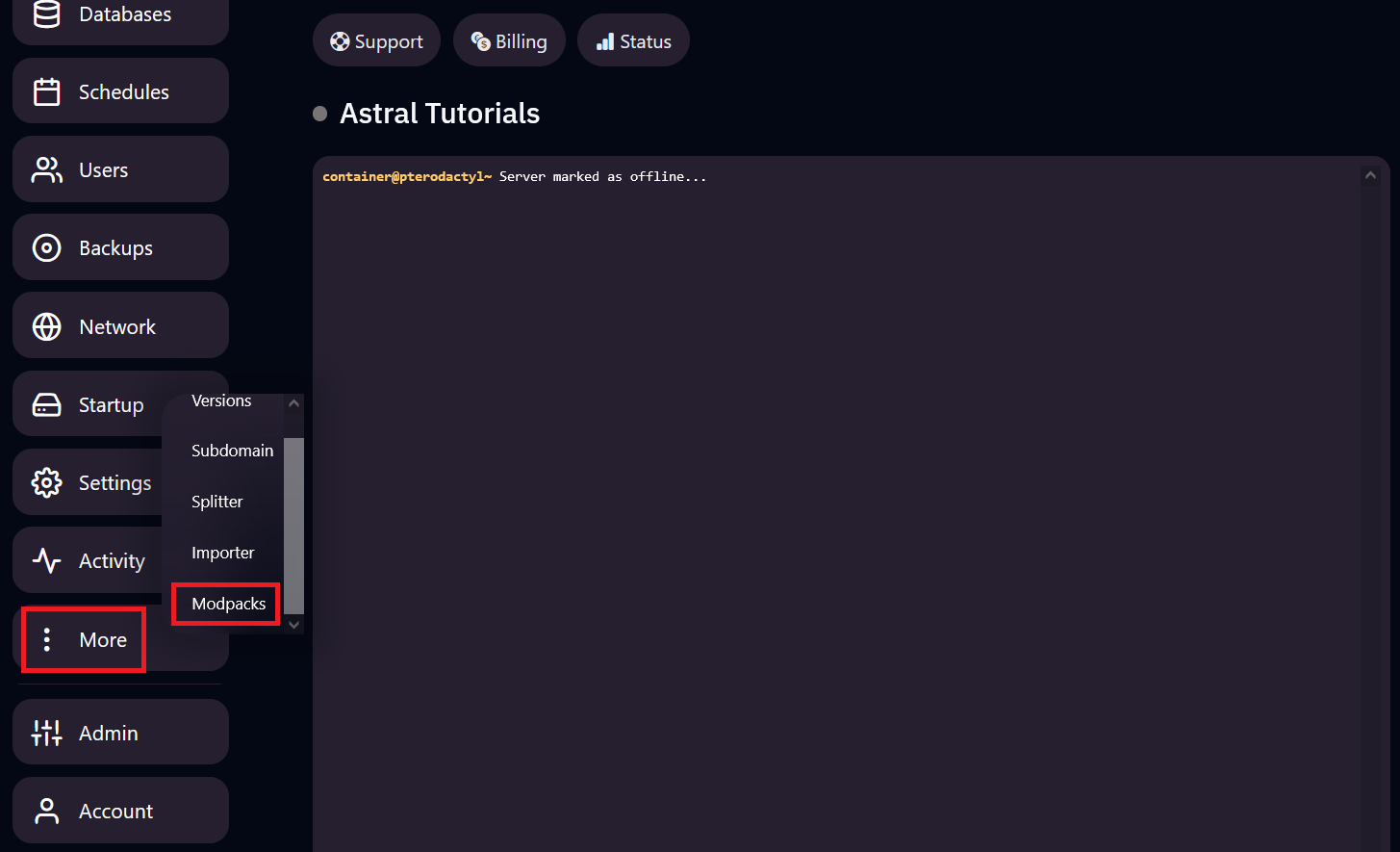
2. Once on the modpack installer page, select your modpack provider. This can be Curseforge or Modrinth.
3. Search for the modpack you want in the search bar at the top right.
4. Once you have found your modpack, click on it and select the version you would like to install.
Optional Selections: The "Delete Existing Files" function will erase all files from your server and install the modpack you selected. Only select this if you are doing a clean install of your server. Support representatives are unable to recover erased files.
5. Install the version your modpack runs on. More information can be found on this guide.
6. Start your server.
Note: If your server crashes during start up, it is likely that your modpack contains clientside mods. Please check if there are any clientside mods attempting to load on your server, and remove them.
Installing Your Own Modpack
Note: Servers require mods in the form of a .jar file. If your modpack does not contain any .jar files, and instead uses a "modlist.toml" or similar compressed formats, you will need to obtain the .jar files for your mods.
1. Install the version your modpack runs on. More information can be found on this guide.
2. Start your server.
3. Once your server has fully started, a "mods" folder should have been generated, head into this folder.
4. Upload your mods into the "mods" folder. Do not upload clientside mods.
5. If your modpack requires custom configs, upload them to your "config", "defaultconfig", and "libraries" folders as needed.
6. Restart your server.
Note: If your server crashes during start up, it is likely that your modpack contains clientside mods. Please check if there are any clientside mods attempting to load on your server, and remove them.